Filter Plans
Use the filter action to refine the displayed plans based on criteria, such as plan type, price range, renewal period, activation type, prorated or external parameter values.
NOTE: The Filter tool is generic for all types of Regular and Pool Plans (both Buy and Sell Plans).
A screen capture of the Filter sidebar is shown here.
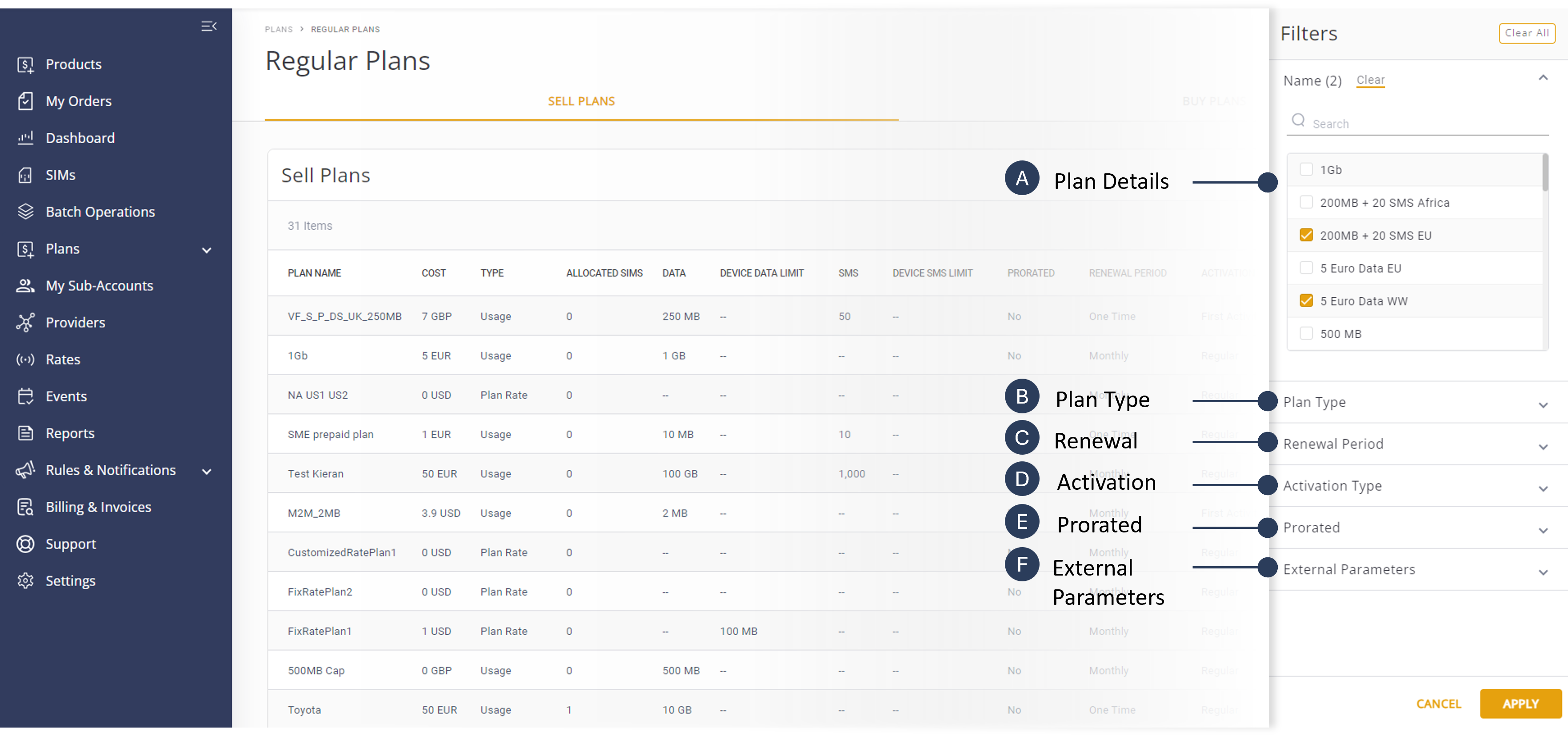
NOTE: All filter options in the Plans module are optional. However, users must select at least one filter from the various categories provided to initiate a search.
To filter the plan table, do these steps:
- Select Catalog |Plans from the Navigation sidebar.
- Select the Regular Plans or Pool Plans tab to display the plans table.
- Click the Filter icon to display the filter sidebar.
- Click Name and select the relevant plan details.
- Click Plan Type and select the relevant plan types.
- Click Renewal Period and select the relevant renewal options.
- Click Activation Type and select the relevant activation options.
- Click Prorated and select one of these options:
- Yes
- No
- Click External Parameters and select a parameter name from the list.
- Click Apply to update the Plans table with the filtered data.